
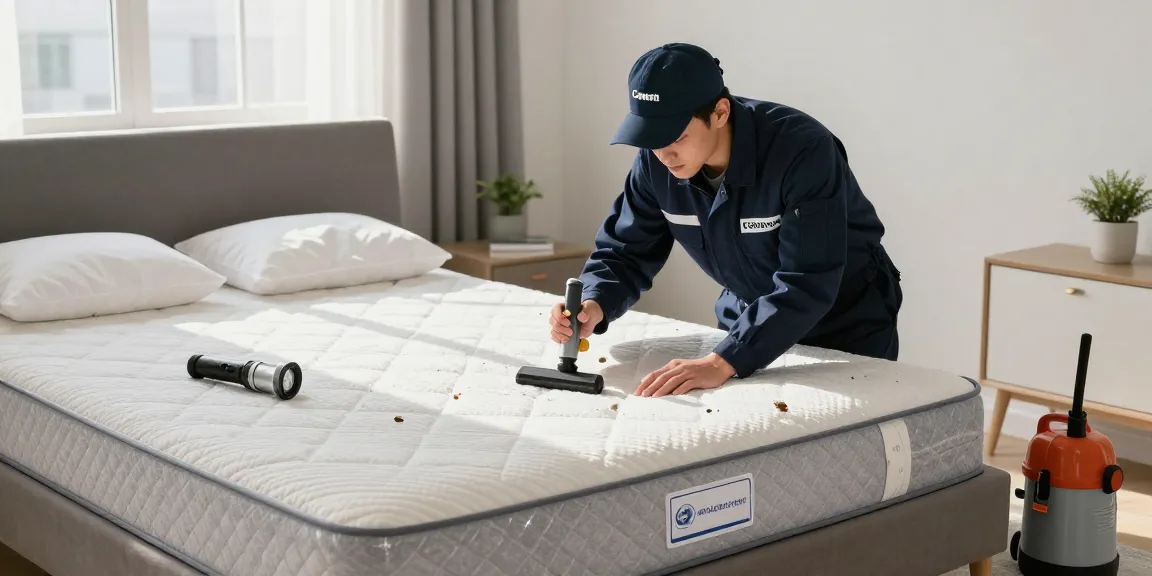
Understanding Bed Bugs and Their Behavior
Bed bugs are elusive pests that can turn your peaceful nights into a nightmare. These tiny, oval-shaped insects feed on blood, primarily from humans, and are notorious for their ability to hide in various places, making them difficult to detect. They are not just a nuisance; their bites can lead to discomfort and emotional distress. Understanding bed bugs—where they hide, their behavior, and their reproductive habits—is crucial for effective bed bug treatment.
What are Bed Bugs and Where Do They Hide?
Bed bugs (Cimex lectularius) are small, parasitic insects that feed on the blood of warm-blooded hosts. They are typically reddish-brown, flat, and about the size of an apple seed. Bed bugs can be found in various environments, including homes, hotels, and public transportation. Their preferred hiding spots include:
- Seams of mattresses and box springs
- Bed frames and headboards
- Furniture cracks and crevices
- Couches and chairs
- Baseboards and electrical outlets
Life Cycle and Reproduction of Bed Bugs
Bed bugs undergo a life cycle that consists of five nymph stages before reaching adulthood. They can reproduce swiftly; a female bed bug can lay up to seven eggs daily, totaling over 500 eggs in her lifetime. This rapid reproduction makes early detection and intervention critical in controlling an infestation.
Common Myths About Bed Bugs
Despite their prevalence, many misconceptions exist about bed bugs. One common myth is that bed bugs are only found in dirty environments. In reality, these pests can thrive anywhere there are humans, regardless of cleanliness.
Signs of Infestation: How to Identify Bed Bugs
Identifying a bed bug infestation early can save you time, money, and stress. Knowing the signs is crucial for prompt action. Look for physical signs on your body as well as in your home.
Physical Signs and Symptoms of Bed Bug Bites
Bed bug bites can be painless initially, but they often result in itchy, red welts on the skin, typically appearing in clusters or lines. Awareness of these symptoms is essential as they may be your first indication of an infestation.
Visual Indicators in Your Home
In addition to bites, look for visual signs of bed bugs in your home, such as:
- Dark spots or stains on bedding caused by blood or feces
- Empty exoskeletons from molting
- Live bed bugs hiding in crevices during the day
When to Call a Professional
If you notice any signs of bed bugs, particularly bites or visual indicators, it’s important to contact a pest control professional immediately. Delay can lead to a more extensive infestation, making treatment more difficult and expensive.
Bed Bug Treatment Options: What Works Best?
When it comes to effective bed bug treatment, understanding the various options available is essential. Different treatment methods can be employed depending on the severity of the infestation and your specific needs.
Heat Treatment vs. Chemical Treatment
Heat treatment involves raising the temperature of the infested area to a level that is lethal to bed bugs and their eggs. This eco-friendly solution can eliminate all life stages of bed bugs effectively and quickly. In contrast, chemical treatments involve using pesticides that can provide a longer-term residual barrier against future infestations. Both methods have their place, and a combination may yield the best results.
What is the Ultimate Combo Treatment?
The Ultimate Combo Treatment involves the strategic use of both heat and chemical treatments, offering the advantages of immediate eradication and long-lasting protection against reinvasion. This approach ensures comprehensive coverage and is especially useful in severe infestations.
Steps for Effective DIY Bed Bug Control
If you’re considering DIY options, there are some steps you can take, such as:
- Washing all bedding and clothing in hot water
- Vacuuming thoroughly and disposing of the vacuum bag immediately
- Utilizing mattress and box spring encasements to prevent bed bugs from entering or escaping
However, DIY methods are often insufficient for established infestations, so professional help is recommended.
Preparing for Bed Bug Treatment
Preparation is key to ensuring effective treatment. Depending on the method used, you will need to take specific steps to facilitate the process.
How to Prepare Your Home for Treatment
To prepare your home for treatment, remove clutter, wash all linens and clothing, and ensure access to areas where treatment will occur. Follow any additional guidelines provided by your pest control professional to maximize effectiveness.
Understanding the Treatment Process
The treatment process typically involves an initial inspection, followed by the chosen method of eradication. Ensure that you understand each step of the process to know what to expect and how to support the treatment.
What to Expect After Treatment
Post-treatment, you should monitor for any signs of remaining bed bugs and follow any aftercare instructions provided by your exterminator. In many cases, a follow-up inspection is recommended to ensure complete eradication.
Preventing Future Infestations
Taking steps to prevent future infestations is as important as treatment. Proactive measures can save you from the hassles of dealing with bed bugs again.
Best Practices for Prevention
To prevent bed bugs:
- Regularly inspect your sleeping areas and luggage when traveling.
- Keep your home clutter-free to minimize hiding spots.
- Seal any cracks in walls and around furniture to reduce potential entry points.
Checking Common Hiding Spots Regularly
Make it a habit to regularly check common hiding spots for bed bugs, including bedding, carpets, and furniture. Early detection is crucial in managing any potential re-infestation.
How to Educate Others About Bed Bug Awareness
Share information about bed bugs with friends, family, and colleagues. Education can help others recognize signs of infestations early and take action before the problem escalates.
What are the Costs Associated with Bed Bug Treatment?
The costs for bed bug treatment can vary widely based on the severity of the infestation and the methods used. On average, homeowners can expect to pay anywhere from $300 to $1,500 for professional treatment services.
How Long Does It Typically Take to Treat a Bed Bug Infestation?
The duration of treatment can depend on the method used and the severity of the infestation. Heat treatments may only take a few hours, while chemical treatments could require several visits over a period of weeks.
Are There Any Home Remedies That Work?
While many home remedies exist, they often lack the efficacy needed to eliminate a full-scale infestation. Commercial-grade pesticides and heat treatments are usually necessary for effective eradication.
How Can You Choose the Right Exterminator?
When selecting a pest control professional, consider their credentials, experience, and customer reviews. Look for a company that specializes in bed bugs and offers a comprehensive range of treatment options.
What Makes Bed Bugs More Resistant Today?
Resistance to treatments can stem from overuse of certain pesticides, making it essential to choose an exterminator who uses a variety of effective methods and stays updated on best practices in pest control.